
Getting started
Sign up as a patient
Create your free Medik Tour profile in under a minute and get your patient ID.
- 1
Open the sign-up page
Go to the Join page and stay on the I'm a Patient tab. You can also use the Sign up link at the top of any page, or the orange offer banner when it is showing.
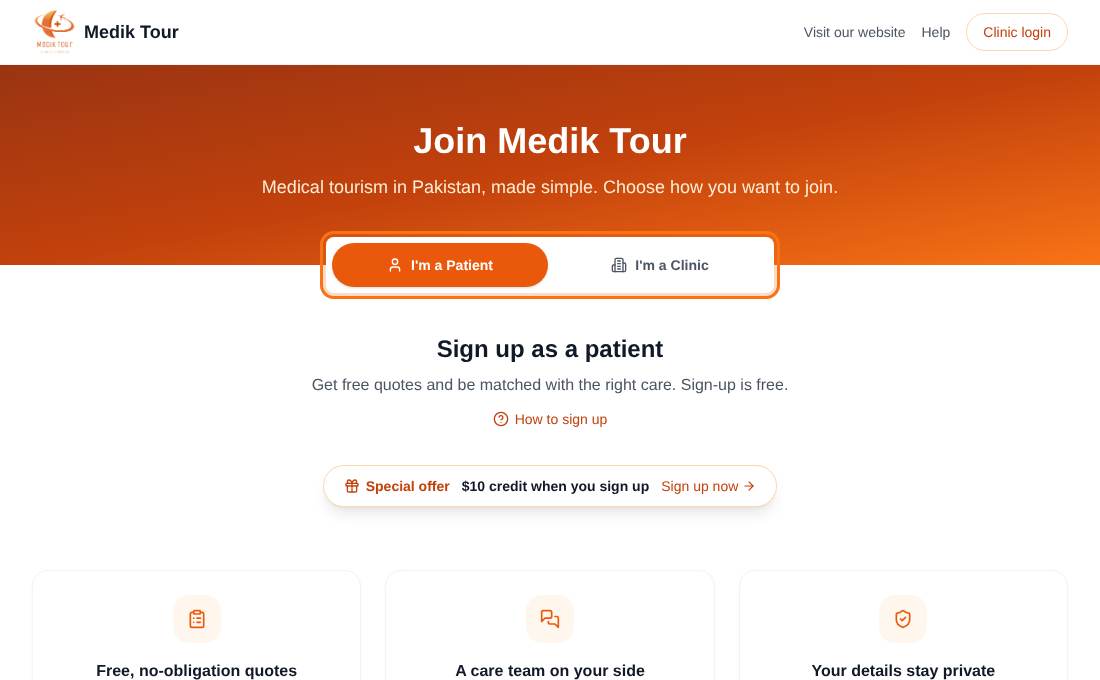
Choose I'm a Patient. - 2
Fill in the form
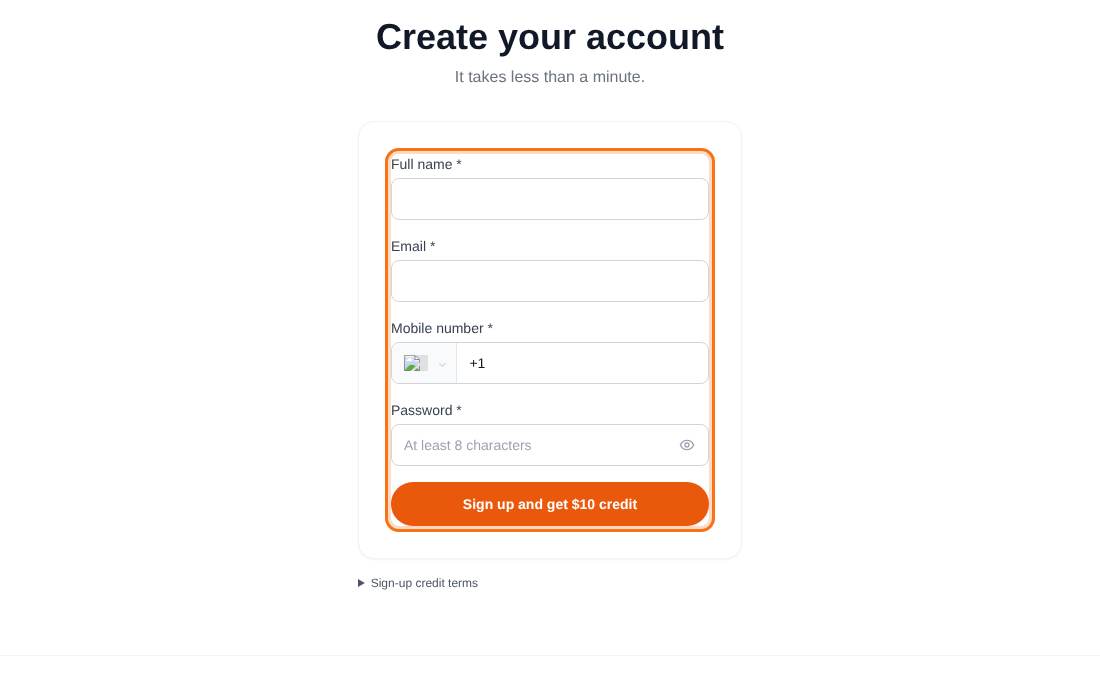
Enter your full name, email, mobile number and a password of at least 8 characters.
- Pick your country in the mobile number box first. The country code fills in for you.
- Use a mobile number, not a landline. Our care team may contact you on it.
- The eye icon shows or hides your password.
- 3
Press the sign-up button
The button reads Sign up, or Sign up and get $10 credit while the welcome offer is running.
If the email is already registered you will see a message saying so. Use a different email or contact us.
- 4
Keep your patient ID
A thank-you card shows your patient ID (it looks like MT-2026-000123) and, if the welcome offer is on, your credit and the date it expires. Quote this ID whenever you contact us.
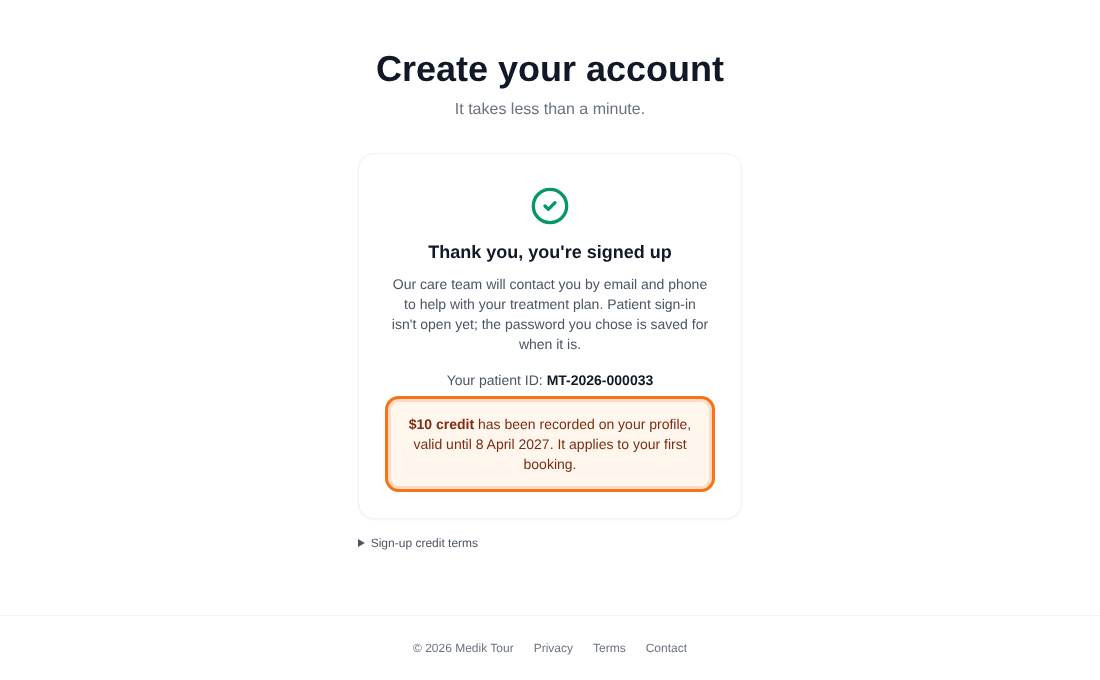
Patient sign-in is not open yet. Your password is saved for when it is, and our care team will contact you by email and phone.
Common questions
Is sign-up free?
Yes. Signing up costs nothing and does not commit you to any treatment.
Can I sign in after signing up?
Patient sign-in opens later. Until then, our care team contacts you directly, and a quote request made through the website also gives you access to your request page.