
After you request
Message your clinic
Start and stop the chat with a clinic, and what you can and cannot send.
- 1
Open the conversation
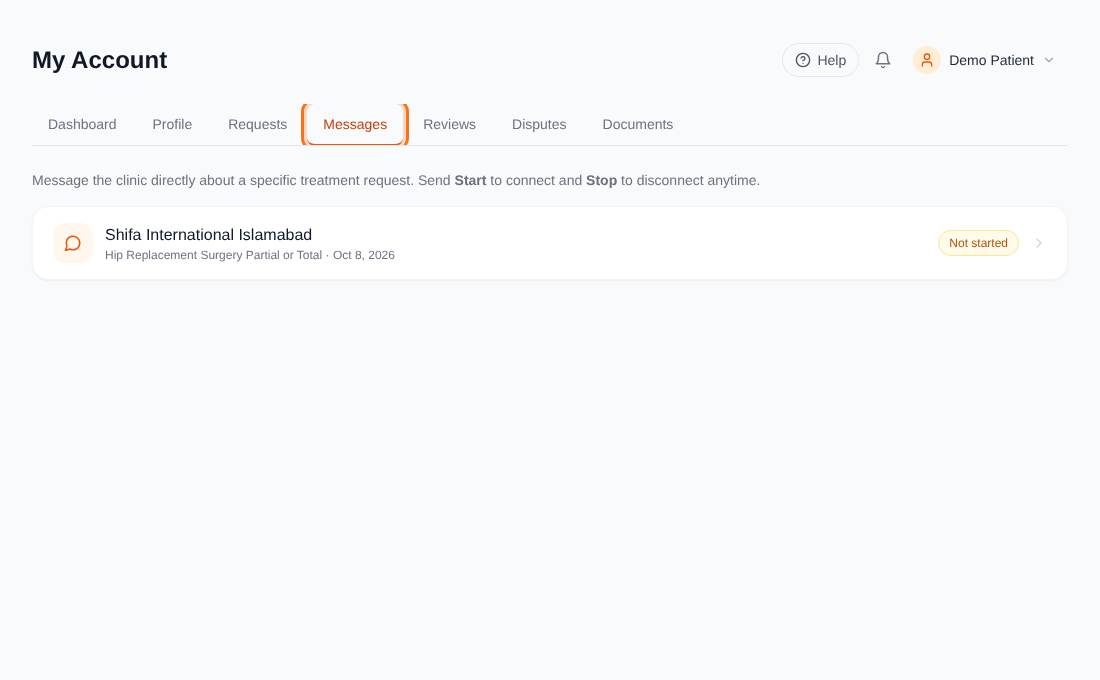
In My Account open Messages. There is one chat per request, marked Not started, Connected or Disconnected.
- 2
Send Start
The clinic cannot message you until you send the word Start. This keeps you in control. Once connected, type in the Type a message box and send.
- 3
Stop when you are done
Send Stop to disconnect. Your request is then marked Closed. You can send Start again later to reconnect.
- 4
Keep it safe
For your safety, phone numbers and email addresses cannot be sent in chat; such messages are blocked. A message can be up to 2,000 characters. Our team can join any conversation to help.