
After you request
Documents, reviews and disputes
Upload medical documents, review a clinic and raise an issue if something goes wrong.
- 1
Upload documents
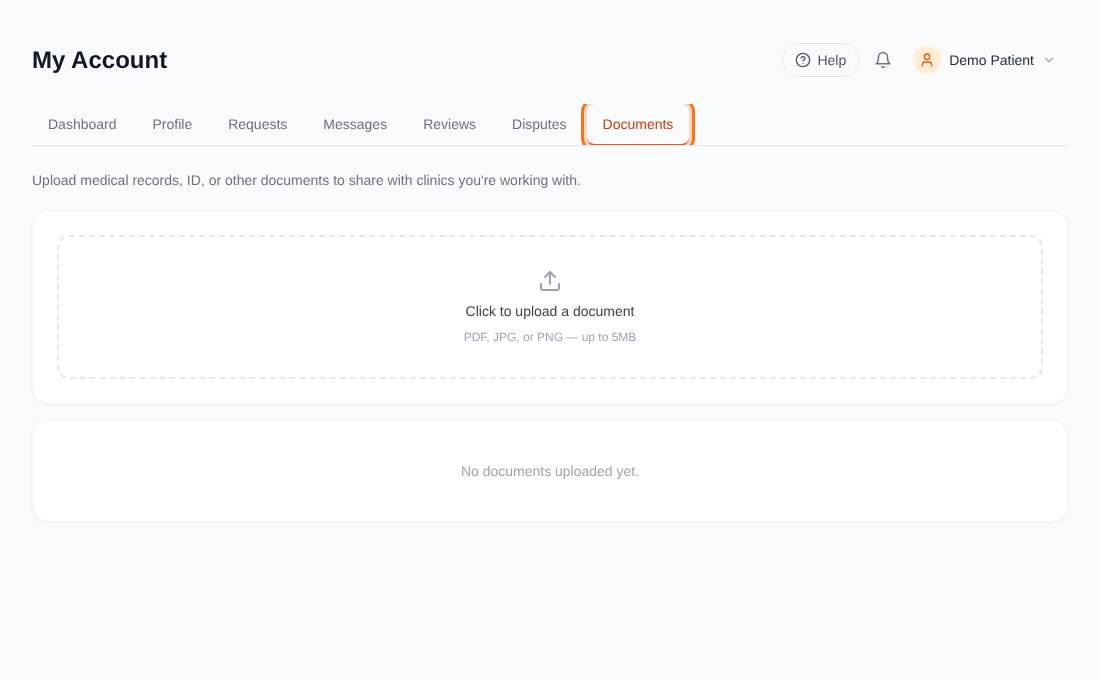
In My Account open Documents and press Click to upload a document. PDF, JPG and PNG files up to 5 MB are accepted. Clinics you have requested quotes from can see your documents and can upload documents for you too (marked Provider). You can delete the ones you uploaded.
- 2
Review a clinic
Open Reviews, choose a clinic you have requested a quote from, pick 1 to 5 stars, add a comment and press Submit review. You can review each clinic once. Reviews are checked by our team before they appear, and show Pending review until then. Editing a review sends it back for checking.
- 3
Raise a dispute
On a request press Report an issue. Choose what it is about (billing, clinic unresponsive or unprofessional, an inaccurate listing, quality of care, or something else), add a subject and describe what happened, then submit. Our team and the clinic reply in the same thread. A dispute has an ID like MT-D-2026-00007 and moves through Open, Awaiting clinic, Awaiting patient, Resolved and Closed.
- 4
Update your profile or password
Open Profile to change your name, email, mobile number and address. Change password is in the menu next to your name.