
Joining as a clinic
Complete your clinic application
The four steps to submit: details, overview, documents and the signed agreement.
- 1
Know the four steps
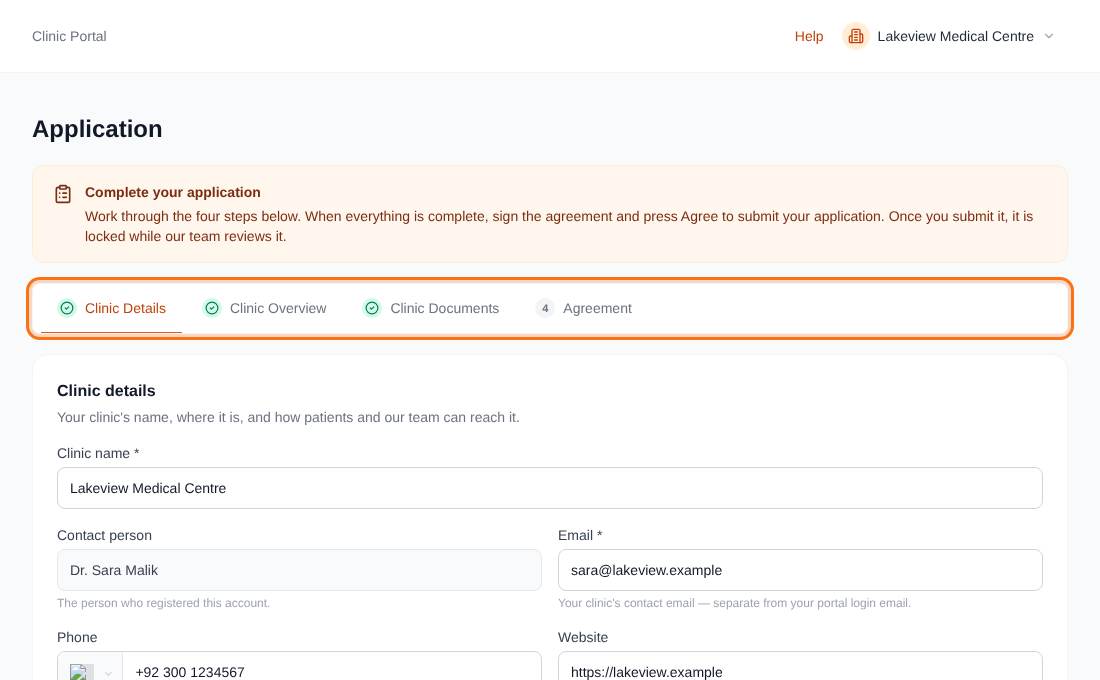
The Application page has four tabs: Clinic Details, Clinic Overview, Clinic Documents and Agreement. A step opens only when the earlier ones are complete, and a locked step shows a padlock. The form opens on the first step you have not finished.
- 2
Step 1: Clinic Details
Fill in Clinic name, the clinic's contact Email (this can differ from your login email) and Country. Phone, Website, State / province, City and Address are optional but help patients. Contact person is filled from your account.
Press Save & continue. If something required is missing the page tells you which field.
- 3
Step 2: Clinic Overview
Describe your Specialties / treatments offered (up to 300 characters) and tell us about your clinic's medical background (up to 3,000). Both are required.
- 4
Step 3: Clinic Documents
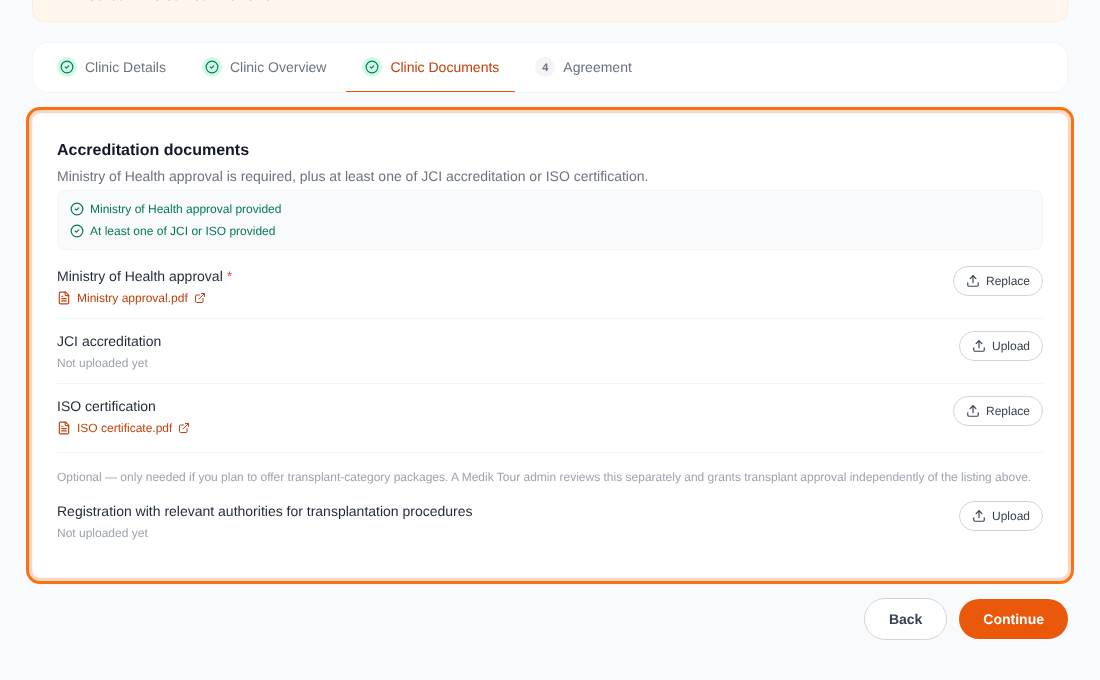
Upload your accreditation documents with the Upload button on each row. Required: the Ministry of Health approval, and at least one of the JCI accreditation or the ISO certification. A transplant registration is optional and is reviewed separately.
Files must be PDF, JPG or PNG, up to 5 MB. Replace swaps a file. The checklist shows what is still missing and Continue stays disabled until the rules are met.
- 5
Step 4: sign the Agreement
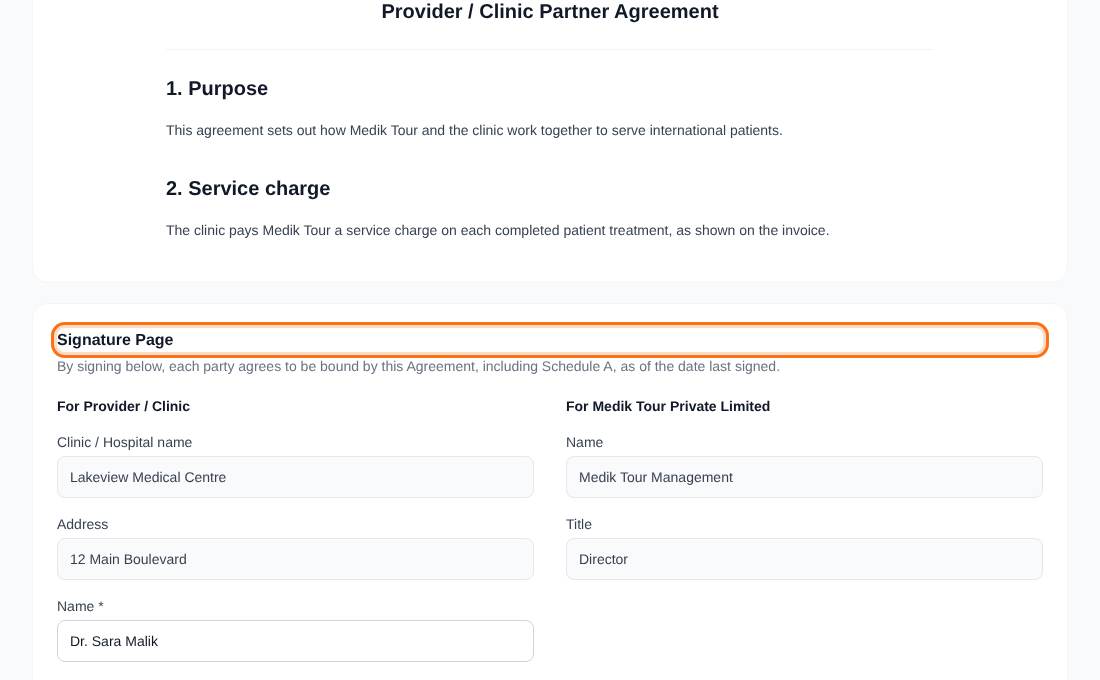
Read the Provider / Clinic Partner Agreement. On the Signature Page enter the signer's Name and Title (2 to 150 characters). The clinic name and address come from your saved details, so save any edits first. The date is recorded automatically.
Press Agree to sign and submit. By doing so you confirm you are authorised to sign for the clinic.
- 6
After you submit
The application is locked while we review it, with a banner reading Application submitted. If we need changes the banner changes to Changes requested and a note from our review team appears. Update the application, sign the agreement again and press Agree.
When it is approved you are emailed a link to your full portal.
Approved clinics start unpublished. Add packages and doctors, and our team publishes your clinic.